
Team Size: 17
Timeframe: 4 months
Sprint Timeframe: 5 weeks
Role: Interactive Editor
Key Contributions: i6-8 (Customize Rocket, Show What You Know, Rocket Launch)
Learning Prompt: How does a rocket ship get into space? (Applied Sciences)
Date Sprint Completed: September 2021
Welcome to Mission Control! In this episode of “On the Jobs,” Blaze’s friend Leonard will help walk you through some of the steps to engineering a rocket and launching it off into space.
I worked on this project during a five-week sprint timeframe in September 2021, and was in charge of the second half of the experience, in which you customize and launch your rocket into space, and also test your rocket knowledge.
The way On the Jobs typically work is that, after watching an embedded documentary video explaining the process of the given job, you then work through a series of smaller interactions that typically involve building some kind of material that is customizable. At the end of this experience, you are tasked with “Show What You Know” (SWYK) in a small interaction that tests what the player has learned.
The main draw of On the Job (OTJ) 106 is that your experience is customizable from the get-go, as you can play through the experience with a medium-sized object (as seen in my full playthrough), or with a small-or-big-sized rocket as well (replays of these two can be seen below).
This quirk required a tracking variable across both i6 and i8, as (specifically) the positions and sizes of the stickers on the rocket change slightly depending on the overall size of the rocket.
Additionally, as part of my interactions, additional variables were needed to track the coloring of the different pieces of the rocket.
i6, in addition to carrying and tagging these variables, also had the coloring positions randomize upon each selection, which was an interesting piece of shuffling logic given that the touch inputs for these colors were being held in the same place and re-used across i6.
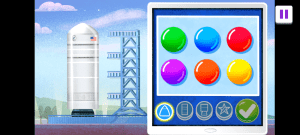
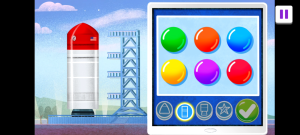
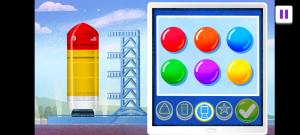
i7, as is customary with many SWYKs, the interactions were fairly straightforward, with a series of touch-and-tap checks and a highlight that comes on if the player guesses too many wrong answers.
This all then leads to the rocket launch experience, which in a way was a more complicated version of the stickers in i6. This is because the rocket launch needs fuel-fire animation assets to be placed correctly underneath the rocket, as well as smoky poof particles that emit alongside them, but each of these positionally are slightly different depending on the size of the rocket.
Additionally, all of the above assets in i8 needed to layer across each other in different ways (i.e. the smoke needed to be layered above the fire initially, but midway through launch the fire needed to be on top, but neither of these could be layered above the rocket itself, so I had some smoke particles layered beneath and some above for the sake of accuracy).
Unfortunately, early data from this On the Job suggested that, for many kids, the heady subject matter made some of this material hard to grasp, but several individual experiences seen through playtesting also suggested that kids very much, at least, enjoyed customizing different rockets and launching them.
 Matthew Floyd